Showing posts with label Windows 7 review. Show all posts

Thursday, April 30, 2009

Remove Watermark For Windows Vista / Windows 7 (32 bit/64 bit)

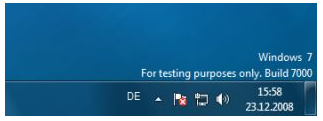
Many users are asking how to remove evaluation copy (Or testing purpose only) watermark that appears on the bottom right of Windows 7 desktop. Generally, we need to edit system file to make it happen. But thankfully, we have a simple, clean and working patch that does the job perfectly.
windows7logo1
Before getting into the innards of the guide, it’s better to backup your system files since you are going edit user32.dll.mui system file using a small patch. Follow the steps given below to remove watermark from the Windows 7 desktop.
Procedure:
1. Download the patch from here (Thanks to deepxw for creating the patch).
2. Right-click on Removewatermark (.exe) file and select Run as administrator. Make sure that you have chosen RemovewatermarkX86.exe file, if you are using 32-bit Windows. Likewise choose RemovewatermarkX64.exe for 64-bit Windows.
3. Next, a command prompt will be opened asking your permission to continue. Press/type “Y” to continue patching process.
Command Prompt Asking Permission
4. Within few seconds, a successful message will be shown. Close Command Prompt window & reboot your system.
Water Mark Command Prompt
5. Enjoy!
If the watermark appears even after rebooting the machine, then follow the procedure below.
1. Type CMD in Start menu search field and hit enter Ctrl + Shift + Enter to open Command Prompt with admin rights. Alternatively, go to Start > All programs > Accessories. Right-click on Command Prompt entry, and select Run as administrator.
2. In the Command Prompt, type in mcbuilder.exe and hit enter. It may take a minute to finish the process. Now, close the Command Prompt window and reboot Windows 7.
Windows 7 watermark
3. You should see no watermark on your desktop now.
Note that this patch should work fine on all builds of Windows 7 including build 7057.
Đây là chương trình dùng để xóa Watermark trên các phiên bản Windows Vista / Windows Server 2008 / Windows 7.

Ví dụ như "Evaluation Copy", "For testing purpose only", "Test Mode", "Safe Mode".

Click the image to open in full size.

Đặc biệt: chương trình nhỏ gọn hỗ trợ tất cả các phiên bản beta từ cũ đến mới nhất của Windows 7.

Cách dùng rất đơn giản, giải nén ra một thư mục, chọn phiên bản 32bit / 64bit tương ứng rồi chạy chương trình với quyền quản trị, ấn y để bắt đầu chương trình.

Click the image to open in full size.

Sau đó bạn chỉ cần Log Off / Restart là hiệu lực ngay.

Click the image to open in full size.

Nếu sau khi Logon trở lại mà vẫn ko được thì bạn chỉ cần chạy lại một lần nữa chương trình, ấn R, sau đó khởi động lại máy và phép màu đã xảy ra...


Windows XPA BLACK EDITION SP3 2009 DVD


Read txt files include to know how to change to English .
Name of Operating System: Windows XP BLACK EDITION SPA 2009 DVD
Year: 2009
Version: DVD

Tablet: present (though not necessary)

System requirements:
• Computer and processor
Requires a PC equipped with a processor with a clock speed of 256 MHz or higher;
recommended a family of 300 MHz Intel Pentium / Celeron, AMD K6/Athlon/Duron family or compatible processor with them.
• Memory
The recommended amount of RAM - 256 (512 for multibuta) MB or more
(minimum allowable - 512 MB, while productivity may be limited and some features)
• Hard Drive
Requires 5 GB of free disk space (the used space on your hard drive depending on configuration;
for the custom installation may require more or less disk space)
• Drive
A DVD-ROM drive
• Other Devices
Keyboard and mouse (Microsoft), or compatible pointing device
• Monitor resolution of 800/600 or higher


Description:
with all the updates on March 16, 2009 including non-public hotfiky (description below)
is an exclusive design (including Jekson07, Secmac, AVAnto and some of my work;).
Improving the development of command SPA BLACK EDITION RU in april 2009
The system is installed automatically from multibootable
In the dual-boot:
1-Boot from drive C:
2-Different build rescue CD:
3-Utillity Akronis
4-Installing Windows XP SP3
5-reboot
6-turn off your computer
7.Professional selection of Acronis BootCD Professional composed of:
-True Image HOME Rus v.11.0.8059 (Full & Safe mode) with Universal Restore,
-Disk Director Suite v. 10.0.2117 (Full & Safe mode)

Various assemblies rescue CD:
Hiren's BootCD 9.7
Multiboot disk with DOS-programs needed to work with computer malfunctions and failures in the operating system.
It includes almost everything you need - tools for working with hard drive, its recovery and diagnostics,
diagnostic utility of the computer nodes, file managers, utilities for the network, antivirus and more.

Pebuilder Black-only to find sysadmin. Startup Disk MiniPE XT with a giant set of all possible tools.
Supports a very serious list of iron. Since it has been able to
revive a lot of fallen and restore information from the fallen systems.
When the test run was found 100% of the iron that would normally require the installation of drivers windsurfing manufacturer.
No other boot disk that I know of assemblies that can not boast.
Those who at least occasionally have to raise the dead system

Addon "ExtremePack"
Description for each of the updates you can get by typing:
[281981] Update for Terminal Server Service
[889320] Update for Computer Browser Service DLL
[922120] Update for Link-Layer Topology Responder Driver for NDIS 6
[927436] Update for Serial Imaging Device Driver
[932521] Update for Remote Access PPP EAP-TLS
[932578] Update for NT File System Driver
[934401] Update for IP Configuration Utility
[938759] Update for Crypto API32
[942213] Update for MMC 3.0
[943232] Update Fusion 2.5
[945060] Update for Photo Metadata Handler
[945436] Update for USB Common Class Generic Parent Driver
[947460] Update for Offline Network Agent
[948046] Update for Unidrv Printer Driver
[948101] Update for OHCI USB Miniport Driver
[948277] Update for Windows NT Logon Application
[948698] Update for Registry Console Tool
[948720] Update for Windows Setup API
[948877] Update for Memory Cards Driver
[949033] Update for EHCI eUSB Miniport Driver
[949127] Update for Wireless Zero Configuration Service
[949764] Update for USB 1.1 and 2.0 Port Driver
[949900] Update for Shim Engine
[950312] Update for Windows Server DLL
[950616] Update for Class Driver for Port/Miniport Devices
[950820] Update for Microsoft IME Code Dictionary
[950982] Update for ODBC Driver Manager
[951163] Update for DNS Client API
[951347] Update for Microsoft Fax Server Extended COM Client Interface
[951531] Update for Windows Time Service
[951624] Update for Home Networking Configuration Manager
[951709] Update for PnP Disk Driver
[951822] Update for ALPS Printer Driver for Windows NT
[952117] Update for NDIS 5.1 wrapper driver
[952206] Update for Local Spooler DLL
[952909] Update for Windows NT OpenType/Type 1 Font Driver
[953024] Update for Rich Text Edit Control
[953028] Update for Microsoft Direct3D
[953609] Update for Wireless Zero Configuration Service UI
[953760] Update for Kerberos Security Package
[953761] Update for DHCP Client Service
[953930] Update for DOS 5 File Compare Utility
[954193] Cumulative Security Update for MS Jet 4.0 Database Engine
[954232] Update for On-Screen Keyboard
[954434] Update for Hardware Abstraction Layer
[955043] Update for DHTML Editing Components
[955109] Update for Windows Explorer
[955356] Update for SBP-2 Protocol Driver
[955408] Update for 1394 SID Speed
[955567] Update for Redirected Drive Buffering SubSystem Driver
[955576] Update for Microsoft Windows Telephony Server
[955832] Update for TLS - SSL Security Provider
[955843] Update for Microsoft Data Access Components
[955988] Update for WMI Win32 Provider
[956072] Update for RDP Terminal Stack Driver
[956588] Update for Microsoft XPS Document Writer
[956625] Update for MSCTF Server DLL
[956807] Update for GDI Plus
[957218] Update for EAP Host Peer service
[957263] Update for Microsoft OLE for Windows
[957264] Update for Microsoft RDP Device redirector
[957495] Update for Sound Recorder accessory
[957808] Update for NAP IPSec Enforcement Client
[957931] Update for Wired AutoConfig Service
[958071] Update for Wireless LAN 802.11 Client Side API
[958106] Update for Terminal Services ActiveX Client
[958149] Update for 1394 OpenHCI Port Driver
[958200] Update for Disk Defragmenter NTFS Module
[958244] Update for Hardware Abstraction Layer
[958282] Update for Multi-User Win32 Driver
[958817] Update for Windows NT IOStreams and CRT DLLs
[958877] Update for Oakley Key Manager
[958910] Update for Internet Print Provider
[959237] Update for MSDA - OLE DB Cursor Engine
[959267] Update for User-mode Plug-and-Play Service
[959334] Update for Arial Black TrueType Font
[959439] Update for Windows NT WebDav Minirdr
[959465] Update for SD Cards inf
[959540] Update for Common Controls
[959554] Update for GDI Client DLL
[959682] Update for Microsoft Message Queuing 3.0
[959765] Update for Remote NDIS Miniport Driver
[959873] Update for Win32 LDAP API DLL
[960071] Update for SQL Server ODBC driver
[960139] Update for Windows NT Logon Application
[960253] Update for Windows Shell Common Dll
[960380] Update for XML Parser 6.0 SP2
[960417] Update for Windows NT BASE API Client
[960419] Update for NT Layer DLL
[960496] Update for NT Kernel and System
[960655] Update for 802.3 Media Specific Module
[960763] Update for HP Printer Software v11
[960921] Update for Video Port Driver
[960970] Update for 1394 Bus Device Driver
[961067] Update for Wordbreaker and stemmer
[961853] Update for Net Logon Services

• driver pack with the direct integration:
DP_MassStorage_wnt5_x86-32_812 (Detailed infromatsiyana DriverPacks.net > DriverPacks > DriverPack MassStorage > Supported Devices)
ACHI \ 001 \ iaAHCI.inf, 0
ACHI \ 002 \ IAAHCI70.inf, 0
ACHI \ 003 \ IASTOR55.inf, 0
ACHI \ 004 \ OEMMGMT.inf, 0
ACHI \ 005 \ Si3112r.inf, 0
ACHI \ 006 \ iaAHCI. INF Revision: Version 8.5.0.1032


• Drivers with a choice. (23 Pack) Some drivers are removed, the remaining perepakovany for brands in order to avoid confusion.
(updated to April 2009):

-AMD_CPU
-Bluetooth_wnt5_x86-32_081021
-Broadband_wnt5_x86-32_70416
-Monitor_wnt5_x86-32_07111
-Phone_wnt5_x86-32_80207
-SmartCardRea der_wnt5_x86-32_80228
-Sound_CMedia
-Sound_Creativ
-Sound_Other
-Sound_Realtek
-Sound_SndMax
-TV_Tuner
-TV_wnt5_x86-32_80908
-Video_ ATI
-Video_Intel
-Video_NVIDIA
-Video_Other
-Virtual_wnt5_x86-32_708
-WebCam_wnt5_x86-32_81111
-WLAN_wnt5_x86-32_806

• integrated Addons:
Addon Required Dll's
Additional system libraries needed to run some programs.
© jameszero, 15.03.2009.
--------------------------------------------------
Addon 7-Zip 4.65 with multivariate mode.
© gora, 03.02.2009

--------------------------------------------------
;; Snake aka dimadr
;; 21 February 2009.

Includes
Windows Media Player 11.0.5721.5259 updates:

================================================== ======
KB908536 kb928788 kb929399 kb929773 KB939209 KB941569
kb932390 kb933547 kb935551 kb935552 kb935957 KB959199
KB939683 KB954154 KB950478 KB954067
================================================== ======

add-on AkelPad Rus from BXA

AkelPad It is a multipurpose text editor
Notepad replacement for standard Windows.
Changed window title in Notepad and an icon in the style of Vista.
Added View menu - Encryption, plugins Toolbar, HighLight;
LogView and LineBoard - off by default.
Toolbar icons on zuckij.
Installation directory x: \ Program Files \ AkelPad \ Startup through
BX Launcher renamed to Notepad.exe
The method of integration sysoc at T13 with a full replacement notepad.exe
Without the possibility of uninstalling

In the version of 29.01.2009
* New version based on AkelPad 4.1.5
--------------------------------------------------
Addon Autorun Black Edition

Menu autorun CD-ROM. Replaces the original setup.exe in the root disk.
Collected on the basis of autorun-designer of BoaSoft.
Addon is designed for integration into the Windows XP distribution through UpdatePack-XPSP3-Rus.
Unzip the contents of the archive and copy the folder Addons.

06.06.2008g. © Jekson07 repack © putnik521 & AVAnto

--------------------------------------------------
add-on CCleaner 2.17.830
-----
Addon Cursors - 25 circuits cursors (default is removed).

--------------------------------------------------
Addon to remove 'training in the use of mouse "(C: \ windows \ system32 \ oobe \ html \ mouse) (-44 file, ~ 650KB).

--------------------------------------------------
Addon Extra set of fonts, replaces standard

--------------------------------------------------
Addon Gadgets for Windows Sidebar.

For use with UpdatePackSP3/SP2.
For Windows XP SP3/SP2.

Completely rewritten installer with the ability to install on a live system.
All the gadgets are tested for operability.

All the gadgets are copied to the directory Program Files \ Windows Sidebar \ Gadgets.

--------------------------------------------------
Internet Explorer 7, Rus
An updated version of internet browser from Microsoft
integrated hotfiksy:
KB950759
Debugging DOS / HDD installation - Boa Soft

--------------------------------------------------
IEPro v2.3.3 beta

IEPro - multifunctional add-in for Internet Explorer,
provides many new features and enhancements ...

--------------------------------------------------
add-on Sun Java Runtime Environment 6 Update 12
--------------------------------------------------
Media Player Classic - HomeCinema version 1.2.987.0

Media Player Classic - HomeCinema - comfortable in all plans for the media player. It was built on the basis of a classical player Media Player Classic and one of the best collections of media codecs ffdshow, and thus can play many formats of video and audio files without installing external codecs.
--------------------------------------------------
Paint.NET 3.36
Free image editor
--------------------------------------------------
PhotoShop for Explorer
Allows you to view files. Psd in the conductor
with select "Thumbnails"
--------------------------------------------------
Addon ResPatch Black-Dark Aero
Addon is intended to replace the standard Windows interface design resource ResPatch Black-Dark (Style BLACK EDITION)
Propatchivanie resources occurs at the stage "to the" direct distribution in the Microsoft Windows ® XP SP3, so the installation starts immediately with a new and pleasant interface.

--------------------------------------------------
Memo to the menu Run (Run) version 3.0
--------------------------------------------------
Addon Screens

Wallpapers, screensavers (screen savers) - 27 pcs. Standard deleted.
For integration into the distribution, use the Pack UpdatePack-XPSP3-Rus, unpacked the contents of the archive to a folder Addons. Screen savers, screen savers can be set to "live" system.

--------------------------------------------------
Addon Sounds Vista 2.0

If you irritate the standard sound of Windows, then this is what you need.

Addon is designed for integration into Windows XP SP2 distribution through UpdatePack-XPSP2-Rus.
Unzip the contents of the archive and copy the folder Addons.

Sounds of Windows Vista (the standard is removed).

--------------------------------------------------
Addon Theme Aply
--------------------------------------------------
Addon ThemeUI for Sp3 from BXA
Version of a file to add - 6.0.2900.5512
--------------------------------------------------
VisualTaskTips_v3.4

Visual Task Tips - Shows thumbnail window instead of text prompts on the taskbar.
The website is: Visual Task Tips - Home

Place of installation:% PROGRAMFILES% \ VisualTaskTips \

The label is created: in the menu Start-> Programs-> Utilities.
--------------------------------------------------
Addon Wallppapers-replaces the standard
--------------------------------------------------

add-on WinRar 3.80 Final (enabled by default Theme Vista)
The website is: WinRAR archiver, a powerful tool to process RAR and ZIP files
--------------------------------------------------
Addon Windows Sidebar for Windows XP.

The new version 6.0.6001.22303 (vistasp1_ldr.081105-2326).

For use only with UpdatePackSP3.
Only for Windows XP SP3.

Completely rewritten installer with the ability to install on a live system.
The composition of the add is a new version ALKY for Aplikation (needed libraries), fonts and 12 standard Vista gadgets.

For stable operation Sidebar and gadgets necessary to establish:
Internet Explorer 7 (or addon IE7-Reload)
NET Framework 2.
Preferably. NET Framework 3.

Installation of Gadgets.
All the gadgets are copied to the directory Program Files \ Windows Sidebar \ Gadgets.

--------------------------------------------------
Addon xp drive
shows the degree of filling of the disc (NEW)
--------------------------------------------------
Addon Themes - 14 themes for WindowsXP SP3.

In the addon already UXTheme.dll - patcheny file for the application is not signed themes. After installation, will be forced to restart your computer.

--------------------------------------------------
Addon to remove skins (covers) Windows Media Player.
--------------------------------------------------
Addon to remove a textbook on the Windows Media Player. (- 2.5 Mb)
--------------------------------------------------
Winnt.Sif Editor

Code:

http://www.gigasize.com/get.php?d=8mt04hckxcd
http://www.gigasize.com/get.php?d=x9pltvcjn7c
http://www.gigasize.com/get.php?d=90ojro6mchb
http://www.gigasize.com/get.php?d=v16571z5l3f
http://www.gigasize.com/get.php?d=og1ys1g7jzd
http://www.gigasize.com/get.php?d=shgr88ovbkc
http://www.gigasize.com/get.php?d=skr1f6wnrof
http://www.gigasize.com/get.php?d=86s7okngrgf
http://www.gigasize.com/get.php?d=9q811kn9l5b
http://www.gigasize.com/get.php?d=9ckm5to8rfc
http://www.gigasize.com/get.php?d=rtl8r6y99oc
http://www.gigasize.com/get.php?d=6q01n8wsswc
http://www.gigasize.com/get.php?d=873h9nnqbxb
http://www.gigasize.com/get.php?d=m8rxvxlzr9f
http://www.gigasize.com/get.php?d=tv51jj17sgc
http://www.gigasize.com/get.php?d=mb1koh01x6c
http://www.gigasize.com/get.php?d=xhgr46x216c
http://www.gigasize.com/get.php?d=m0r9b8gcsff
http://www.gigasize.com/get.php?d=td0wdgwms7f
http://www.gigasize.com/get.php?d=c5b5m8oz9fc
http://www.gigasize.com/get.php?d=12r310f2c7b
http://www.gigasize.com/get.php?d=lwl7g4f9v7d
http://www.gigasize.com/get.php?d=wxt78ckdskb
http://www.gigasize.com/get.php?d=4963g3hmo9c
http://www.gigasize.com/get.php?d=oh4s9gzy52d
http://www.gigasize.com/get.php?d=c540lxl3w3f
http://www.gigasize.com/get.php?d=f0s308mlljb
http://www.gigasize.com/get.php?d=81pxw9262tb
http://www.gigasize.com/get.php?d=79pylrpsxzf
http://www.gigasize.com/get.php?d=7hgpr6bqzof
http://www.gigasize.com/get.php?d=smgnt8rw91b
http://www.gigasize.com/get.php?d=hh7mhhbg90c
http://www.gigasize.com/get.php?d=5gnn8746ozd
http://www.gigasize.com/get.php?d=qz588wfxqjd
http://www.gigasize.com/get.php?d=7nnq9n53n0c
http://www.gigasize.com/get.php?d=ym4j3fp0z9c
http://www.gigasize.com/get.php?d=9owm3p595gb
http://www.gigasize.com/get.php?d=8wr9s2j1zxd
http://www.gigasize.com/get.php?d=x891xvkbjsc
http://www.gigasize.com/get.php?d=xpndrmq058f
http://www.gigasize.com/get.php?d=sg87x8b5yvb

Windows XPA SP3 MVista 2009 DVD Download


Read txt files include to know how to change to English .
Name of Operating System: Windows XPA SP3 MVista 2009 DVD
Year: 2009
Version: DVD
Tablet: a + is not needed
System requirements:
• Computer and processor
Requires a PC equipped with a processor with a clock speed of 256 MHz or higher;
recommended a family of 300 MHz Intel Pentium / Celeron, AMD K6/Athlon/Duron family or compatible processor with
• Memory
The recommended amount of RAM - 256 MB or more (minimum allowable - 256 MB, while productivity may be limited and some features)
• Hard Drive
Required 2.5 GB of free disk space (the used space on your hard drive depends on the configuration, for custom installation may require more or less disk space)
• Drive
A DVD-ROM drive
• Other Devices
Keyboard and mouse (Microsoft), or compatible pointing device
• Monitor 800/600 or higher
Description:
In a release is korprorativnaya version of Windows XP SP3 Professional Russian CAUTERETS integrates the latest
UpdatePack-XPSP3-Rus-9.2.17 from jameszero.
Multiboot disc.
In the dual-boot:
1-Boot from drive C:
2-Utillity Akronis
3-Loading the operating system in automatic mode with a choice of drivers and the ability to login under his own name, with your keys, etc.
4-Reboot
5-turn off your computer
6.Professional selection of Acronis BootCD Professional composed of:
-True Image HOME Rus v.11.0.8059 (Full & Safe mode) with Universal Restore,
-Disk Director Suite v. 10.0.2117 (Full & Safe mode)

It is important

Deleted:
Mediacenter (of course it nonoperational)
Tablet PC
Examples of the sounds themselves-filled
Theme design Luna-behold if the Sun
Ms messenger-not now heard that our used
Internet games, I is not the most important thing, and Georgia
. NET Framework (instead integrirovanyvse currently on day vkyuchaya 3.5 with Langpack and updates
Removal tool Blaster / Nachi (well, most desired, it is a pity, but it has nema)
Desktop Cleanup Wizard (very clean)
Transfer Wizard files and settings (the wizard again)
Disk Cleanup is a more-reliable tools and disk space
The Search-dog went to the beach
Help and Support, Lord help and knowledge
Color Schemes-??? blind do not suffer
Security Center-set their defense is a reliable
Network of Peer-to-Peer (to torrent it does not make it)
Indexing Service (Assistant spam)
Service messages (the same)
I do not think that anyone that uses at least that is remote from the system, but the performance, speed and stability, the removal of a very nice act.
> swap


add:
My Computer-Add Control Panel
My Computer-Add 'Folder'
My Computer-Add 'Services' from the contextual menu
My Computer-Add the Add / Remove Programs in the context menu
Explorer-Associate additional file types with the Notebook
Explorer-Change Windows Explorer folder view-Tiles
Explorer-Classic Control Panel
Explorer-Disable Prefix: Shortcut to
Explorer-Show the name of the disc before the drive letters
Explorer-Show the full path in the address bar
Desktop-icon 'Internet Explorer'-Show
Desktop-Icon 'Korzina'-Show
Desktop-Icon My dokumenty'-Show
Desktop-icon 'My kompyuter'-Show
Desktop-icon 'Network okruzhenie'-Show
Network-Disable automatic search for network folders and printers
TCP | IP-500 (I think enough).
Applied patch for unsigned themes - you can add your own, if little of that investment.
The theme for the default-ZUNE, in bradmauer service is disabled and the auto-update-who-must always be included.

Driver SATA, ACHI, RAID, DP_MassStorage_wnt5_x86-32_812 (Detailed infromatsiya to DriverPacks.net > DriverPacks > DriverPack MassStorage > Supported Devices)

• Drivers with a choice. Some drivers are removed,
perepakovany the rest of the brand to avoid confusion. (updated to February 2009):
-Chipset_wnt5_x86-32_803
-Graphics_ATI_wnt5_x86-32_804
-Graphics_INTEL_wnt5_x86_32_802
-Graphics_Misc_wnt5_x86_32_804
-Graphics_NVIDIA _wnt5_x86-32_804
-Graphics_VIA_wnt5_x86_32_802
-LAN_wnt5_x86-32_8021
-SmartCardReader_wnt5_x86-32_80228
-Sound_Creative_wnt5_x86-32_804
- Sound_Misc_wnt5_x86-32_804
-Sound_Realtek_wnt5_x86-32_804
-Sound_VIA_wnt5_x86-32_804
-WLAN_wnt5_x86-32_803

Included Addons:
Included Addons:
Addon Required Dll's
Additional system libraries needed to run some programs.
*************************
Includes
Windows Media Player 11.0.5721.5259 , updates:
================================================== ======
KB908536 KB928788 KB929399 KB929773 KB939209 KB941569
KB932390 KB933547 KB935551 KB935552 KB935957 KB959199
KB939683 KB954154 KB950478 KB954067
**********************************
add-on AkelPad Rus from BXA

AkelPad It is a multipurpose text editor
Notepad replacement for standard Windows.
Changed window title in Notepad and an icon in the style of Vista.
Added View menu - Encryption, plugins Toolbar, HighLight;
LogView and LineBoard - off by default.
Toolbar icons on zuckij.
Installation directory x: \ Program Files \ AkelPad \ Startup through
BX Launcher renamed to Notepad.exe
The method of integration sysoc at T13 with a full replacement notepad.exe
Without the possibility of uninstalling (New version based on AkelPad 4.1.5)
**************************************************
Addon Autorun 2009

Menu autorun CD / DVD. Replaces the original setup.exe at the root of the distribution.
Script BoaSoft. Design and redesign prokazzza. Design © AVAnto
Addon is designed for integration into the Windows XP distribution through UpdatePack-XPSP3-Rus.
Unzip the contents of the archive and copy the folder Addons.

*******************************
add-on CCleaner 2.16.830
The website is: CCleaner - Home
Addon for integration into Windows XPSP2 distribution through UpdatePack-XPSP2-Rus Utilities CCleaner v2.16.830 for cleaning
systems from a variety of "trash" - cookies, history, visiting sites, temporary files (including the "production"
Web browsers and programs eMule, Google Toolbar, Office, Kazaa, Nero, Adobe Acrobat, WinRAR, Real Player and some others)
and ActiveX-elements. In addition, CCleaner supports cleaning of the registry entries for unused
extensions, libraries, already removed programs, etc. Starting with version 1.27 in an unrecoverable option
delete data (DoD 5220.22-M, NSA). Program has Russian interface.

Should be used in conjunction with the addons, plug 3rdParty to highlight in a separate section.
To remove the add in the "Add or Remove Programs" established line "CCleaner (remove only).
Label Program is located in the Start-All Programs - Utilities - CCleaner ".
******************************
add-on MIcrosoft. Net FrameWork 1.1 + 3.5 SP1

Platform. NET version 1.1 provides improved scalability and performance, support for the development of
applications for mobile devices using ASP.NET controls for mobile devices (formerly known as
Microsoft Mobile Internet Toolkit), support for Internet Protocol version 6, and ADO.NET classes for connecting to databases
the ODBC and Oracle. It also allows the use of restrictions on access code for further fixation and isolation
Application ASP.NET.
Platform. NET Framework 3.5 - a new managed code programming model for the operating system Windows.
It connects the power of the platform. NET Framework version 2.0 and new technologies to develop applications that are
unique graphical interface, using various technologies and exchange of data capable of maintaining a large
number of business processes.
**********************************
add-on Sun Java Runtime Environment 6 Update 12

Technology of Java - an object-oriented platform-independent, Multi development environment.
Java has become the basis for "intelligent" Web-and network services, has reliably and safely build an information
structure without depending on a single platform. All types of systems can interact with
another - ranging from smart cards to supercomputers - regardless of hardware platform and system
software. With Java technology, the application can execute on any type of machines - PC
Macintosh computer, network computer, or even on the phone.
**********************************
Media Player Classic - HomeCinema version 1.2.987.0

Media Player Classic - HomeCinema - comfortable in all plans for the media player. It was built on the basis of a classical player Media Player Classic and one of the best collections of media codecs ffdshow, and thus can play many formats of video and audio files without installing external codecs.

The home of - XvidVideo.RU
Page Program XvidVideo.RU - MPC HomeCinema (x86/x64)
************************************
Paint.NET 3.36
Free image editor
--------------------------------------------------
PhotoShop for Explorer

Allows you to view files. Psd in the conductor
with select "Thumbnails"
--------------------------------------------------
Memo to the menu Run (Run) version 3.0
--------------------------------------------------
Addon Screens

Wallpapers, screensavers (screen savers) - 27 pcs. Standard deleted.
For integration into the distribution, use the Pack UpdatePack-XPSP3-Rus, unpacked the contents of the archive to a folder Addons. Screen savers, screen savers can be set to "live" system.
--------------------------------------------------
Addon Sounds Vista 2.0

If you irritate the standard sound of Windows, then this is what you need.

Addon is designed for integration into the Windows XP SP3 distribution through UpdatePack-XPSP3-Rus.
Unzip the contents of the archive and copy the folder Addons.

Sounds of Windows Vista (the standard is removed).
--------------------------------------------------
Addon Theme Aply
--------------------------------------------------
Addon ThemeUI for Sp3 from BXA

On the basis of patchennogo file serg_ssa adjusted modifype.
Solves the problem:
After installation, windsurfing with sp3 when changing to those prescribed cursors
does not change the cursor "palm" - bug MS.
Trabl in themeui.dll, because It is registered for the cursor parameter "Link",
a system yuzaet "Hand" (a change in the themes of the Hand = on Link = not working).

Adapted to the latest version of Pak - This file is automatically removed from
List of protection and, therefore, the installation will not log errors!

Type of integration - the replacement file in the distribution.

Version of a file to add - 6.0.2900.5512
--------------------------------------------------
Boot Screen Vista Classic

Replacing a standard screen (Boot Screen) in the modified.
A substitute file kernel version 5.1.2600.5512
--------------------------------------------------

add-on WinRar 3.80 Final (enabled by default Theme Vista)-license-working
The website is: WinRAR archiver, a powerful tool to process RAR and ZIP files

--------------------------------------------------
Addon xp drive
shows the degree of filling disks
--------------------------------------------------
Addon to remove skins (covers) Windows Media Player.
--------------------------------------------------
Addon to remove a textbook on the Windows Media Player. (- 2.5 Mb)
--------------------------------------------------
Winnt.Sif Editor

--------------------------------------------------
Addon Alky for Applications 1.1
Additional system libraries needed for normal functioning
Sidebar ported and all programs and games Vista.

Offsayt From Windows Vista, to Windows XP

--------------------------------------------------
Addon Cursors - 25 circuits cursors (default is removed).

Addon is designed for integration into the Windows software distribution through UpdatePack-XPSP2/3-
For the integration of content distribution is necessary to unpack the archive in the folder Addons.
Addon can be installed and the "live" system.

--------------------------------------------------
IEPro v2.3.3 beta

IEPro - multifunctional add-in for Internet Explorer,
provides many new features and enhancements ...

--------------------------------------------------
VisualTaskTips_v3.4

Visual Task Tips - Shows thumbnail window instead of text prompts on the taskbar.
The website is: Visual Task Tips - Home

Place of installation:% PROGRAMFILES% \ VisualTaskTips \
Method of installation: SVCPACK, can be used for installation on a "live" system.
In the latter case, the program starts immediately.
The label is created: in the menu Start-> Programs-> Utilities.
The utility is added to the autostart
You can remove the program via the applet "Add / Remove Programs."

----------------------------
Sidebar Addon
----------------------------
In addition to the system is already integrated:
Addons \ Del MSNExplr
Addons \ Del Pinball
Addons \ DelMouseTour
Addons \ DelMSMSGS
Addons \ DelScr
Addons \ DelWallpapers
Addons \ DelWinTOUR
Addons \ DirectX
Addons \ Flash_Player
A ddons \ MPCHC
Addons \ Themes (edited by © putnik 02.02.2009
Addons \ STATBAR
Addons \ IE7_Reload
*************************
Added to the direct integration into distribution:
ADDRSBAR
Iconpacager v3.2
TRueTRANSP (in the Start menu \ programs \ xplife-transparent windows
Unlocker 1.8.7 (razblokirator)
WALL (valpapersov-package replaces the standard in the windows \ web \ wallpapers

Code:

http://www.gigasize.com/get.php?d=szx08xp3ssb
http://www.gigasize.com/get.php?d=l37ogf6sxxc
http://www.gigasize.com/get.php?d=dsgwt73r6xf
http://www.gigasize.com/get.php?d=skv6m9g5mtc
http://www.gigasize.com/get.php?d=699pj3wkxmc
http://www.gigasize.com/get.php?d=wxb9rz9k77c
http://www.gigasize.com/get.php?d=ctkm67g934c
http://www.gigasize.com/get.php?d=n96t91zn2vd
http://www.gigasize.com/get.php?d=1jmr3of9smb
http://www.gigasize.com/get.php?d=7no9mwknphb
http://www.gigasize.com/get.php?d=gdk33k618tf
http://www.gigasize.com/get.php?d=9j11hhjfjwd
http://www.gigasize.com/get.php?d=qwkvw8mx97b
http://www.gigasize.com/get.php?d=77dhf8oy95b
http://www.gigasize.com/get.php?d=scfp97y03vc
http://www.gigasize.com/get.php?d=6wqk9z1f29f
http://www.gigasize.com/get.php?d=sx1r8xgmf8f
http://www.gigasize.com/get.php?d=dccr91h5s8c
http://www.gigasize.com/get.php?d=w3j1qgjy8df
http://www.gigasize.com/get.php?d=49lmhk4fdpd

Windows XP SP3 WINDOW7 STYLE 2009 v.18.1 CD


Windows XP SP3 WIN7 STYLE 2009 v.18.1

In connection with the emergence of a new operating system WINDOWS7 is not all it is available, and many difficult to restructure, but almost everyone's taste and style design of the new operating system. The authors therefore decided to introduce a maximum indentichnosti style WIN7 in the corporate version of the Russian Microsoft Windows © XP SP3 Professional, include all available updates for the year 16.01.2009, v. e integrated into the system last apdeytpak of Dzheymszero UpdatePack-XPSP3-Rus-9.1.16 2009.
Year: 2009
Version: SP3
Size: 697 MB
Platform: PC
Compatibility with Vista: No
System requirements: Minimum.
Language: Russian only
Tabletka: Present
Developer: putnik
Disk multizagruzochny, included the aforementioned apdeytpak and extrimpack; © dimadr aka snake 16.07.2008 repack Secmac 19.11.2008
Building with original style and design, to optimize tvikami at work on weak machines, as well as a collection of professional Acronis BootCD Professional, which consists of:
True Image HOME Rus v.11.0.8059_RU (Full & Safe mode) with Universal Restore,
Disk Director Suite v. 10.0.2117 Rus (Full & Safe mode)

The development of the project has the active participation of a talented artist and designer AVAnto. The style of building has a maximum similarity with the new operating system Windows7. To ensure that the quality of the assembly not assigned appearance was held optimization system.
MD5 ISO: FE41D7DC688903E234012E3720F4DEA1
Updates
KB889320-v2 KB922120-v6 KB932521 KB932716-v2 KB934401 KB942213-v2 KB944043-V3
KB945015-v2 KB945060-V3 KB945436 KB947460-v2 KB948046-v2 KB948101-v3 KB948277
KB948698 KB948720 KB948877-v2 KB949033 KB949127-v2 KB949764 KB949900 KB950234
KB950312 KB950616 KB950982 KB951072-v2 KB951163 KB951312 KB951347 KB951531-v2
KB951618-v2 KB951624 KB951709 KB951822-v2 KB952020-v2 KB952079-v2 KB952117-v2 KB952206
KB952287 KB952909-v2 KB953024 KB953028 KB953155 KB953609 KB953760 KB953761
KB953929 KB953930 KB954193 KB954232 KB954434 KB954459 KB954708 KB954879
KB954920-v2 KB955043-v2 KB955069 KB955109 KB955408 KB955567 KB955576 KB955832-v2
KB955843-v4 KB955988 KB956072 KB956588 KB956625 KB956803 KB956807 KB956841
KB957095 KB957097 KB957201 KB957218 KB957263 KB957264 KB957495 KB957808
KB958071 KB958149 KB958200 KB958244 KB958282-v2 KB958347 KB958644 KB958817
Setting
Fully automatic
At the pre-selected section and the method of formatting. In the BIOS pre vystavlyaem first boot from CD-ROM. Reboot, and if you ask the disc press ENTER. Installation of automatic (for the T13 may be a delay-wait-all will be). Predostalena opportunity (WINNT SIF Editor) entering the organization, change the key to its (proposed valid), the selection of the region, the keyboard layout. Provided a choice of drivers (the list above). The first, second frameworks are established automatically no longer stavil.Izvinite is a CD.
Subject to default - Zune
Enter a classic under his own name. (OOVE - a style of decoration).
In order to display sleep mode (to whom it should be) after installation go to papkuWindows and let there reg file-MSGINA.
By the individual characteristics of the assembly includes avtoran new generation (of development based on the author and designer Prokazza)
Given the opportunity to install out of the old OS.Pri that will need to enter the switch-keys on the disc.
Version corporate-activation is not required. Being tested (for the moment) to offsayte.
Integrated Addons
Addons \ DelVideoDrv
Addons \ Z_DRV_INST
Addons \ 1-BaseCSP
Addons \ 1-Flash
Addons \ 1-GPPC
Addons \ 1-IMAPI2
Addons \ 1-LLTD
Addons \ 1-MSXML
Ad dons \ 1-MU
Addons \ 1-PkgInst
Addons \ 1-Rootsupd
Addons \ 1-WGA
Addons \ 3-dllsfull
Addons \ 3rdparty
Addons \ 9-WMP11RUS
Addons \ Akelpad
Addons \ amlmaple
Addons \ AntiSpy_397b3
Addons \ Autorun5_7W
Addons \ CabTools
Addons \ CCleaner
Addons \ CPLDAPU
Addons \ Cur12
Addons \ Del MSNExplr
Addons \ Del Pinball
Addons \ Del ZoneGames
Addons \ Del_MultiPort29012008
Addons \ Del_prn_02052008
Addons \ Del_Scaner23102007
Addons \ Del_SCSI-4_03022008
Addons \ DelMouseTour
Addons \ DelNetMeeting
Addons \ DelUtopia
Addons \ DelWallpapers
Addons \ DelWinTOUR
Addons \ DirectX
Addons \ DotNet
Addons \ Extremepack
Addons \ FileMenuTools541
Addons \ FixQL_icon
Addons \ Flash_Player
Addons \ Fonts
Addons \ Gadgets
Addons \ HashTab03092008
Addons \ IE7_Reload
Addons \ K illcopy
Addons \ KLiteFull
Addons \ MPCHC
Addons \ OEMInfo
Addons \ ResPatch
Addons \ RunPath3_0
Addons \ screens
Addons \ Sounds Vista 2.0
Addons \ SPTD
Addons \ tcpip
Addons \ ThemeAply
Addons \ Themes
Addons \ Unlocker
Addons \ UxTheme
Addons \ WBV_L
Addons \ WinRAR3.80final
Addo ns \ WSidebar
Addons \ XP Disk Drive
Addons \ Z_DelWMPSkins
Addons \ Z_DelWMPTour
Addons \ Z_WSE
Addons \ z-Log
Addons \ Zune
Drivers with a choice. Some drivers are removed, the remaining perepakovany of brands in order to avoid confusion. (Updated on January 2009)
-CHIPSET
-GRAPHICS_ATI
-GRAPHICS_INTEL
-GRAPHICS_NVIDIA
-GRAPHICS_SIS
-GRAPHICS_VIA
-LAN_WNT5
-MODEM_WNT5_56K
-Monitor_wnt5_x86-32 _104_Greg_B
-SOUND_CMEDIA
-SOUND_REALTEK
-SOUND_SOUNDMAX
-WLAN_wnt5_x86-32_100_greg_b
Integrated by default
AVATARS-character display of the user in the Start menu
DotNet1-2
dllsfull-an additional set of libraries neohodimy for the normal work of the applications
ICONPACKager 3.2
LOGO (logo display processor in the System Properties tab)
OEMINFO-there is information on the support.
Themes-style package so the relevant assembly
WALLPAPERS.exe (add, in my opinion, the most beautiful)
Unlocker1.8.7-razblokirator
WinRar 3.8.-c working key
Do not listed that appears in the integration addonami-it vistovsie cursors and package skrinseyverov and avatarki and last DirectX.exe etc.
Tviki
My Computer, Control Panel Add
My Computer-Add 'Folder'
My Computer-Add 'Service' in the context menu
My Computer-Add the Add / Remove Programs in the context menu
Explorer-Associate additional file types with Notebook
Explorer-Change Windows Explorer folder view-Tiles
Explorer-Classic Control Panel
Explorer-Disable Prefix: Shortcut to
Explorer-Show the name of the disc before the drive letters
Explorer-Show the full path in the address bar
Desk-icon 'Internet Explorer'-Show
Desk-Icon 'Korzina'-Show
Desk-Icon 'My dokumenty'-Show
Desk-Icon 'My kompyuter'-Show
Desk-icon 'Network okruzhenie'-Show
Network-Disable automatic search for network folders and printers
Some of the shut-first for fast downloads and optimization, if necessary, they can run. (All above)
Removed
Examples of sounds
wallpapers
Assistant Search
color scheme
Windows mesenger
setiPeeer-toPeer
Indexing Service
Service messages
Code:

http://www.gigasize.com/get.php?d=2o55d83sm0c
http://www.gigasize.com/get.php?d=484o4kg9b9f
http://www.gigasize.com/get.php?d=x721ocgydob
http://www.gigasize.com/get.php?d=9cfv6xf32yf
http://www.gigasize.com/get.php?d=2t4hf6p1v1b
http://www.gigasize.com/get.php?d=3951phg2h2b
http://www.gigasize.com/get.php?d=wrgn3qjr88b
http://www.gigasize.com/get.php?d=l9jov963rjc

Sunday, April 5, 2009

5 Features Missing in Windows 7

With the release of the Windows 7 Beta, the PC community has been abuzz with excitement for some of the new features. But, some users have been left disappointed at the failure of Microsoft to fix some nasty gaps in the Windows operating system. Here is a list of the top ten features and fixes not seen in Windows 7, as of February 23, 2009.

1. An all-inclusive, easy-to-use, organized Control Panel.

Many Windows Vista users were left unhappy when Microsoft changed the Control Panel from XP. And thus far, Microsoft has yet to prefect the Control Panel. As of now, the control panel remains messy, excessive, and confusing.

The control panel as it stands right now is so messy that if you opened all of the options windows, it’d look something like this:

A messy Windows 7 Control Panel (JCXP)

A messy Windows 7 Control Panel (JCXP)

One Windows 7 user, David, explains his concept of how the Windows 7 Control Panel should look and work.

David’s proposed guidelines for the Control Panel:

1. The user should never be more than 1 (one) level deep within the Control Panel. Once a user has selected a category, there should be no further links or windows which must be opened, with the exception or file browser dialogues and setup/configuration wizards.
2. All options within a category should be tabbed or listed in the left side panel as displayed in these concept images. If the category contains only one set of options, the side panel should be collapsed, showing nothing more than the Help icon and the Control Panel Home icon.
3. There should be no mention of related items or tasks. For example, the Screen Saver properties should NOT display a reference link to the system power options. This is one of the largest reasons users get lost in the Control Panel.
4. Any settings that when changed may cause adverse affects to the system’s performance, security and overall well being should be labeled as “Advanced” and hidden from the default view of the Control Panel. If a user wishes to see these advanced options, the user may check a selection box to display them at their own will.
5. All third party control panel items, such as the NVIDIA Control Panel, should be segregated in an “Additional Settings” category and should be marked as “Advanced”.
6. The “Help” link should always remain in the exact same position throughout the entire Control Panel. The user shouldn’t need help finding help.

Control Panel Concept - Home

Control Panel Concept - Home (JCXP)

Control Panel Concept - Personalization

Control Panel Concept - Personalization (JCXP)

2. Fix the move, copy, delete functions.

One of the most ridiculous Windows problems out there is the copying, moving, and deleting problem in Windows Explorer. If a bug or error occurs, your file transfer may be cancelled and completely reverted. This is extremely annoying for big file transfers. In addition, the transfer process is unneccesarily lengthy and slow.

If you want a fix for this problem, you might want to grab a download of TeraCopy.

3. Replace the Windows Basic theme.

When a user doesn’t have aero enabled, they are stuck with one of the worst theme designs ever from Microsoft: Windows Basic. The Windows team should update the Windows Basic theme… possible suggestions for theme styles include the new theme for non-Aero Windows Live products. (Image Credit: hami1car)

4. Update all of the old Windows icons, menus, and screens.

Although Microsoft changed there style to reflect the updated times, there are still hidden, outdated icons, menus, and screens within Windows 7. These need to be updated to reflect the current style.

Legacy Style Icons, Menus, and Screens in Windows 7

Legacy Style Icons, Menus, and Screens in Windows 7

5. Make the text in errors copyable.

When you get an error in Windows, the best way to find the solution is often through Google. Microsoft absolutely needs to make their errors copyable so that users can easily find answers to their problems online.

Error codes should be copyable to allow for easy Googling.

Error codes should be copyable to allow for easy Googling.

If Microsoft decided to take our advice and change these things, Windows 7 would see a lot more satisfaction from its users.

Saturday, March 14, 2009

Windows 7 Fonts

As an integral part of taking the graphics capabilities of Windows 7 to the next level, Microsoft has also catalyzed the evolution of text, both in relation to typography and text rendering, in the next iteration of the Windows client. According to Microsoft, over 80% of the time spent in front of a computer is related to either reading or writing text. This is why the Redmond company has poured resources into improving the quality of text in Windows 7, quality which is synonymous with typography. “As a platform, the role of Windows is to deliver great presentation of text and offering software developers great tools for creating the best presentation possible in the context of the software they develop,” revealed Worachai Chaoweeraprasit, a development lead on the Graphics feature team.

First off, Windows 7 is designed to kick ClearType up a notch. Taking advantage of the LCD pixel architecture and leveraging the human visual system, ClearType manages to spread the energy associated with a single pixel to the neighboring sub-pixels in, making text appear sharper. In Windows 7, ClearType comes with increased clarity, allowing end users to opt from a wider variety of granular choices via the ClearType Text Tuner.

“One of the graphics improvements we made in Windows 7, therefore, is to move from the physical pixel model of the past, and instead creating a new design around what we call the “device independent pixel” unit (or “DIP”), a “virtual pixel” that is one-ninety-sixth an inch in floating-point data type,” Chaoweeraprasit added. “In this model, a glyph (or any other geometric primitive for that matter) can size to fractional pixels, and be positioned anywhere in between the two pixels. The new ClearType improvement allows sizing and placement of glyph to the screen’s sub-pixel nearest to its ideal condition, creating a more natural looking word shape and making text on screen look a lot closer to print quality.”

Users will be happy to know that in Windows 7 they will be able to enjoy an estimated 40% more fonts than in Windows Vista, which in its turn also delivered 40% more fronts over XP. Microsoft currently plans to ship no less than 235 fronts with Windows 7, having offered just 191 in Vista and 133 in XP. “The default common controls’ font dialog and the font chunk in Windows 7 Ribbon are also updated to be more intelligently selective of what fonts to be present to the user of the current user’s profile. Depending on a number of settings including the current UI language, the user locale, and the current set of keyboard input locales, the font list hides fonts of languages not typically used by the user of different culture and locale,” Chaoweeraprasit said.

At the same time, the evolution of the Windows 7’s new font system now allows the operating system to group fonts. In Vista’s successor, collections will dictate how fonts are organized, based on the stylistic root of fonts. Chaoweeraprasit explained that “the notion of “font collection” allows partitioning of fonts sharing the same usage into a separate namespace. The system collection is similar to what exists today and is created and managed by the system whereas custom collection can be created and managed, as many as needed, entirely by the application program.”

In Windows 7, users will notice that Microsoft has added a new font, namely “Gabriola,” developed by John Hudson. The addition is just an accessory to the new level of OpenType support introduced in the next version of Windows. An offshoot of the TrueType Open technology Microsoft, OpenType controls the interaction and transformation of glyphs in stages.

“Windows 7 new text system not only uses available OpenType features internally but also allows access to any feature made available in the font in the high level programming interface, making it easier for application developer to discover and exercise the font feature in mainstream scenario,” Chaoweeraprasit said. “Gabriola makes heavy use of contextual letterforms and offers an unprecedented number of stylistic sets for different usages of the font in different occasions.”

According to Microsoft, Windows 7’s new text system has been assembled into what the company referred to as the DirectWrite self-sufficient system. This because, even in the early stages of development the company labored to resolve the shortcomings of non-homogeneous text processing.

“The [DirectWrite] API is provided in four layers – the interfaces for font data, rendering support, language processing, and typesetting, each built upon the others with the lower layer makes no requirement to the upper one, and none depends on a specific graphics model. To illustrate the latter point, the figure below shows a sample application that uses the new typesetting interface and language processor while the final rendering happens as an extruded filled 3D geometry from the 2D graphics environment also new to Windows 7 called Direct2D,” Chaoweeraprasit said.

Windows 7 Sensor Windows Driver Kit

With Windows 7 client and Windows 7 Server (Windows Server 2008 R2) available in Beta as of early January 2009, Microsoft has now also started serving the Sensor Windows Driver Kit Beta resources. The Windows 7 Sensor Windows Driver Kit Beta documentation has been published on MSDN and can be accessed by developers that are looking to integrate sensor or location products with the next version of the Windows operating system. “If you have been wondering about how to support your sensor or location device on Windows 7, wonder no longer! The Windows 7 Sensor WDK documentation is live on MSDN,” Microsoft’s Gavin Gear stated. “We’re experiencing some issues with rendering bulleted and numbered lists and working diligently to resolve this issue. Thanks for being patient,” added Jim Travis, senior content publishing lead, Microsoft. Microsoft is offering developers access to the Design Guide, Windows Sensor Reference and Sensor Samples. Developers will be able to tap the documentation available in order to write device drivers that take advantage of the new sensor and location platform introduced in Windows 7. “The Windows Driver Kit provides a basic sample, called the skeleton sample, to guide you through the first steps to implement a device driver for sensor hardware,” the software giant stated. The Windows Sensor Reference provides documents related to COM interfaces as well as additional items associated with the Windows 7 sensor user-mode drivers. Microsoft informed that the documentation is specific of sensor user-mode drivers for Windows 7 that are based on the Windows Driver Foundation (WDF) - User-Mode Driver Framework (UMDF) platform. “The Sensor Driver Skeleton Sample demonstrates how to write a minimal sensor driver and shows best practices, including how to use the sensor class extension. You can use this driver as a template from which you can start your own sensor driver projects,” the software giant explained. Sensor Windows Driver Kit Beta resources
http://msdn.microsoft.com/en-us/library/cc974537.aspx

Windows 7 - 20 Features to Make Users Forget Vista SP1/SP2 and XP SP3

Microsoft is currently moving onward with the development of Windows 7, having passed Milestone 3 with the operating system. According to Steven Sinofsky, senior vice president, Windows and Windows Live Engineering Group, the Redmond company is now cooking the Beta 1 release of Windows 7. But even as early as Windows 7 Milestone 3 pre-Beta Build 6801 and 6801+, discernible details, components and features across the next iteration of the Windows client come with the promise of making users forget all about Windows Vista Service Pack 1 and even SP2, or even Windows XP Service Pack 3.

“We’ve had a pretty incredible couple of weeks at the PDC and WinHEC. Based on what we talked about you can imagine we are all rather busy as we transition from milestone 3 to beta. We trust many of you are enjoying 6801 (or perhaps we should say 6801+),” revealed Sinofsky earlier this week.

With Windows 7 pre-Beta Build 6801 changes stretch from the surface to under-the-hood optimizations, with the client evolving from both the perspective of the graphical user interface, user experience and interaction model but also in regard to the actual architecture of the operating system, with repercussions on performance, new capabilities and features, as well as compatibility and support.

The Windows 7 Desktop:

At the Professional Developers Conference 2008 in Los Angeles at the end of October, Chaitanya Sareen, a senior program manager for Microsoft, delivered a session in which he emphasized the evolution of the various elements on the desktop from Windows Vista to Windows 7. Sareen was already running a Windows 7 development milestone higher than Build 6801, namely Build 6933, which, of course, is still in pre-Beta stage. The entire presentation packaged as a WMV is available for download via this link.

According to Sareen, the key goals with the Windows 7 desktop include: “things you use all the time are at your fingertips – it is easy to get the programs and destinations you use all the time, with less mouse movement and fewer clicks. Manage your windows with confidence – you can switch to the right windows quickly without mistakes and effortlessly position windows the way you want them. You are in control – the desktop reflects your style; you get to personalize the experience, choosing what is important to you, including how and when you receive notifications. Clean and lightweight – the desktop experience feels organized, light, open and is a pleasure to use; visuals and animations are delighters the first time and every time.”

Windows 7 desktop elements:

1. The new Windows 7 Taskbar (the Superbar) – the Quick Launch area is gone, the Show Desktop button was moved all the way to the right hand side of the taskbar, and the entire space dedicated to housing opened programs can now be used to manage both launched applications and IE tabs, but also shortcuts to the most used items across the operating system.

2. Aero Peek – the way to switch windows without actually switching windows. Working in conjunction with the new Windows 7 Taskbar, Aero Peek is designed to highlight a single window corresponding to the mini-window that the user focuses on with the mouse on the thumnail of a specifically opened desktop item.

3. Windows 7 Taskbar Thumbnails – even in pre-beta Build 6801, the thumbnails for opened programs in Windows 7 are interactive. Unlike Vista, in Windows 7 users will be able to click thumbnails in order to access a specific opened application or window, to sneak (Aero) peek at the content, to close an item on the desktop, and even to run basic commands such as play and pause for Windows Media Player.

4. The Start menu and the mini Start Menus (Jumplists) – Microsoft has obviously revamped the Start Menu in Windows 7, from the search functionality to simple pin program actions. At the same time, the company will offer mini start menus, also called Jumplists, for each Taskbar item, allowing the user to jump directly to the tasks performed with a certain program, rather than executing the application and only then navigating to the task, be it a web page for Internet Explorer or a document for Word.

5. Overhauled notification area and the Action Center – those pesky and nagging notification balloons in the bottom right hand side of the screen will be a thing of the past in Windows 7. The successor of Windows Vista will allow end users to control notifications via the Action Center.

6. AeroShake – a feature locked in Windows 7 pre-Beta Build 6801, which allows users to control opened windows with mouse or touch gestures. Desktop items can be minimized or maximized by grabbing a window and shaking it.

7. DesktopSlideshow – is a feature designed as a combination between traditional static wallpapers and DreamScene animated backgrounds. It will allow users to have an image slideshow as their background.

8. New fonts – Windows Vista came to the table with Segoe and Windows 7 will deliver Gabriola, a new font.

9. Windows Sidebar is no longer a sidebar - the feature continues to exist in Windows 7, but it is no longer associated with the bar placed on the right hand side of the screen. In Windows 7 gadgets don’t have a dock anymore, and, just as in Vista, they can be placed all over the desktop.

10. The Windows Ribbon graphical user interface – Microsoft is attempting to change the old approach to GUI designs as it has become traditional in Windows, with a move to a new style introduced with the Office 2007 System. The company already introduced the Ribbon GUI in applications such as Paint and Wordpad but it is looking to convince developers to do the same for all third-party applications designed for Windows 7.

Windows 7 under-the-hood:

1. New installation process - Windows 7 pre-Beta Build 6801 comes with a tweaked installation process that automatically deploys the Ultimate SKU of the operating system. This could, of course, be a preview of Microsoft simplifying the number of Windows versions, but it is still too early to tell, and the company has not confirmed anything officially in this regard.

2. Faster boot – Microsoft has already demonstrated that the Milestone 3 of Windows 7 will boot faster than Windows Vista by a few seconds. It is only to be expected of the Redmond company to take startup performance to the next level with the forthcoming version of the Windows client.

3. MinWin – Windows 7 does not come with a new kernel, and it is in fact delivered as Windows version 6.1, whereas Vista is 6.0, but what it does come with is an isolated core. End users will not be able to see this, but Microsoft will, from now on, separate the development and innovation of the Windows NT kernel plus a limited number of core-components, labeled collectively as MinWin, from the rest of the operating system. This is known as componentization.

4. Support for over 64 processors and scaling up to 256 processors - “In the Windows 7 operating system, the 64-bit kernel supports more than 64 logical processors. To scale up to support this expanded number of processors, some applications and Windows kernel-mode components require modification,” Microsoft stated.

5. Touch capabilities – Windows Vista offered a preview of things to come in terms of touch computing with the integration into Microsoft Surface. With Windows 7 the Redmond giant is simply taking Windows touch one step further. Windows 7 will come by default with a Natural User interface based on touch and gestures designed to work with the latest hardware technology, already integrated into computers sold on the market.

6. Cloud Integration - Windows Essentials – Windows 7 will no longer come with a range of applications bundled by default into its fabric. Instead, the operating system will reach into the cloud to grab applications such as an email or an instant messaging client.

7. Windows 7 Driver Verifier - “Driver Verifier monitors kernel-mode drivers to detect incorrect function calls or actions that might corrupt the system. For Windows 7, Driver Verifier has several features that did not exist in earlier versions of Windows, that detect new classes of driver defects, and that provide information for debugging these driver defects. This paper provides a preview of the Windows Driver Kit (WDK) documentation for these enhancements. Exposing these additional classes of common driver bugs assists driver developers in producing higher quality device drivers,” Microsoft revealed.

8. Home Groups – with Windows 7 Microsoft has made it easier for computers in the same Home Group to share pictures, music, videos, documents and devices.

9. Windows Sensor and Location Platform – Windows 7 will know where users are; here is how Microsoft explains it: “The Windows Sensor and Location platform, which is new for Windows 7, enables your computer and applications to adapt to their current environment. With location sensors – including GPS devices, WWAN radios, and even triangulation technology – your applications and gadgets can know exactly where they are, enabling them to provide more locally relevant content and functionality.”

10. Windows 7 Troubleshooting – Windows 7 brings to the table enhanced troubleshooting capabilities compared to Windows Vista. The next version of the Windows client will be able to resolve issues related to programs, devices, networking, printing, display, sound and performance.

14 Things that Microsoft Needs to Do with Windows 7

Microsoft made no secret out of having, for some time now, been cooking the next iteration of Windows, a translucent development process with very little transparent areas including details such as multi-touch, support for 32-bit and 64-bit architectures, and the evolution of the Windows Vista kernel, graphics and audio subsystems. Pieces of the Windows 7 puzzle are indeed starting to come together, and a more consistent perspective will be delivered at the company’s 2008 Professional Developers Conference, that will take place between October 27 and 30 in Los Angeles.

Microsoft Chairman Bill Gates and with Steven Sinofsky, Senior Vice President, Windows and Windows Live Engineering Group, have made it clear that Windows 7 will be the evolution of Windows Vista. With the current operating system acting as the foundation for the next, there have already been mentions of Windows Vista SP2 or even Windows Vista R2, but since actual details are gagged, all speculations about Windows 7 are fair game. In this context, Gates has also mentioned that Windows 7 will be a product of Microsoft’s philosophy that states “do things better.” The Redmond company’s Co-Founder indicated that Vista has given ample opportunity for improvements with Windows 7.

The intimate connection between Windows 7 and Windows Vista manages to raise questions as to just how much of the current Windows client is going to survive into the next version, and just what sins it will pass along. Hopefully, Microsoft has learned relevant lessons from Vista, and will not repeat the Wow mistakes. There are of course a few things that the Redmond company can do to ensure this.

1. Performance! Performance! Performance!

Microsoft commissioned Principled Technologies to compare Windows Vista RTM and SP1 to Windows XP SP2. Here is what they found:

Vista RTM vs. XP SP2 - “Windows Vista was noticeably more responsive after rebooting than Windows XP on several common business operations. Overall, Windows Vista and Windows XP were roughly equally responsive on most test operations. Windows Vista was more responsive on some operations, and on those operations on which it was more responsive, Windows XP typically responded only a half a second or so faster.”

Vista SP1 vs. Vista RTM vs. XP SP2 - “Overall, Windows Vista SP1 and Windows XP performed comparably on most test operations. Differences were typically less than a half second. Windows Vista SP1 was noticeably more responsive after rebooting than Windows XP on several common home operations. Overall, Windows Vista SP1 and Windows Vista performed comparably on most test operations, with differences typically less than a half second.”

No! This won’t do with Windows 7! It simply won’t! Let me make this clear, Windows 7 has to fly in comparison with Windows Vista and Windows XP. Fly! And the difference cannot be described with such qualifiers as “noticeably,” “roughly equally responsive,” and “differences typically less than a half second.” In case that users have failed to be clear on this one, the performance they want with Windows 7 compared to Vista is that of a Ferrari compared to a bicycle. That’s it! It’s simple, now get it done! Just look at what Apple is doing with Snow Leopard to get a proper idea of what needs to be done.

2. Hardware Requirements – Less Is… Well… Less

Microsoft has already confirmed through the voice of Christopher Flores, Director Windows Communications that, at the end of 2009, Windows 7 will sport the same system requirements as Windows Vista does now, or did at the end of 2006 – beginning of 2007, when it was launched. This would be nothing short of excellent for Microsoft. They will need to make Windows 7 fly (see #1) and they will have to do it on the same systems that Vista is sluggish (to use an euphemism).

The benefits of such a move would be tremendous for Windows 7, and related specifically to in-place-upgrades. Users are bound to think twice if they also have to upgrade their hardware in order to move to a new operating system. But just taking the software and slapping it on any “old” system configuration and get more will do half the marketing campaign for Microsoft.

3. Windows 7 vs. Vista vs. XP vs. Mac OS X vs. Linux vs. Lawn Mowers

One of the things that killed Windows Vista was the constant comparison with Windows XP, and not with Mac OS X or Linux. What Microsoft needs to do is set up a comprehensive set of tests and guidelines for comparing operating systems, and to provide general access to online benchmarking tools that will give an accurate and realistic perspective on scenarios involving Windows 7 vs. Vista vs. XP vs. Mac OS X vs. Linux.

And I don’t care if users are able to access the benchmarking tests via browsers from embedded platforms installed on their lawn mowers, or from a high performance operating system running on a supercomputer, Windows 7 will have to outperform everything that’s thrown against it. Everything! So, what if it’s Microsoft’s tests? So what?! The company just needs to give end users, OEMs, corporations, developers, IT professionals and even Mac OS X and Linux users a palpable proof that Windows 7 is better. Palpable!

4. The One True Love for the Applications Environment

Windows 7 will be stretched between the need to evolve to 64-bit programs and the necessity to provide support for legacy applications. Virtualization is the best solution for the operating system to support Windows 7-specific software solutions, but also products designed to integrate with Windows Vista, Windows XP and even older Windows Platforms. By building virtualization into Windows 7, and ensuring that legacy applications will run in emulated environments replicating the OS they were tailored to, Microsoft will scrap one of the biggest worries that have plagued Windows Vista.

5. Put the Whip on the Evangelism Division

Really now! The biggest failure of Windows Vista is not hardware and driver incompatibility, it’s the work done by the Microsoft Evangelism division for the operating system. I don’t care if it’s NVIDIA, ATI, Intel, AMD, HP or some obscure manufacturer building lawn mowers (see #3) in Alaska or in Siberia… if it has to run Windows 7, a Microsoft evangelist should provide everything from support to Pina Coladas, walks on the beach and in the rain, and massages. Don’t wait for the manufacturers to come to you, go to them, go early, and woo them with the trademark Microsoft geek charm…

6. No More Kill Switches, in Translation “Vista RFM No Más”

All Windows users are created equal! Even those running pirated Windows. Microsoft needs to work this to its advantage and ensure that the jump from pirated Windows to genuine copies of the client is as easy and as cheap as it can be. One example is the 2007 gambit made on the Chinese market with the slashed Windows Vista prices. Sure enough, the company would still be losing money, but it will be losing a lot less than with the free pirated copies of Windows.

But, at the same time, it is important to ensure that users of genuine Windows are not made to suffer from malfunctioning Reduced Functionality Mode kill switches, like they did with Vista. In SP1, Microsoft killed RFM, and it was the right thing to do by its users. The Redmond company, the only one who has access to the statistics with the false positives of the Windows Genuine Advantage antipiracy mechanism for Vista, and all the operating systems thrown into reduced functionality mode despite being genuine, knows this better than any of us.

7. Infinite Windows 7 Flavors for All

Windows Vista came in six flavors… Starter, Home Basic, Home Premium, Business, Enterprise and Ultimate. If Windows 7 will come in 100, 24, 12, or also 6, Microsoft has learned nothing from Vista. Nothing! Yes, six editions do offer consumers the right choices, at the right price… but they also manage to create confusion. Microsoft needs to understand that it will not be able to satisfy all the needs of its customers by delivering infinite Windows 7 flavors, or by releasing a single one-size-fits-all edition as Apple does with Mac OS X.

With Windows 7, Microsoft needs to simplify its SKU offerings. Melt Home Basic into Home Premium, or drop Home Basic altogether. Make a single SKU out of Business and Enterprise and figure out how to provide different activation architectures to small businesses and corporate customers. Ultimate is a good idea however you look at it, and it should survive. Starter does not! In fact, the entire concept of Windows Starter edition should be dropped altogether! I’ll explain later on.

8. Aero Next

Microsoft will have to do with Windows 7 what it did with the graphical user interface of Office 2007, in comparison to Office 2003. Windows 7 needs its own Ribbon/Fluent UI, with plenty of eye candy and with multi-touch, gesture, object recognition, advanced tablet PC support, and so on and so forth. But what it doesn’t need is that Aero Next to be the resource hog that it is in Windows Vista. This should keep Microsoft from advising customers with inferior hardware configurations to turn Aero off altogether because it makes their systems virtually unusable. Let me make this clear: if just the user interface of a platform makes it unusable, Microsoft might as well go back to the command line…

9. Security but No Security

In case the negative response to the User Account Control in Windows Vista failed to reach Microsoft, let me spell this out… Users want security but they don’t want security. Microsoft CEO Steve Ballmer admitted that the company had sacrificed functionality for security. Please stop!

First off, users should be and feel secure without having to compromise on any other aspect, and certainly not on flexibility or functionality. Microsoft needs to get UAC right in Windows 7 from the get-go, because the feature doesn’t look like it’s going away. But it should be made to run in the background, and to be as non-intrusive and as less chatty as possible.

But, most importantly, security should be a given, not the focus of the marketing campaign. Microsoft doesn’t need to sell Windows 7 because it’s secure, or even to stress security. It should be a default association and nothing more. But certainly not the top selling pitch!

10. Think Ultra!

This is where scraping Windows Starter comes in. One of the largest opportunities of growth for Windows is on the market of Ultra-Low-Cost mobile and desktop computers. This means that Windows 7 will need to run on the same hardware that Windows XP does in order to become tailored for ULC machines. If Microsoft makes Windows play well with low system configurations, the trademark of all Ultra-Low-Cost computers, than Starter will be redundant. And there goes one extra and useless Windows SKU.

For the time being, the Redmond company cannot offer the resource-hog that is Vista for ULC machines and is still delivering Windows XP. This situation cannot perpetuate itself with Vista’s successor. Microsoft has to make Windows 7 available for all machines, and not praise the much needed evolution of the Windows operating system while still shamelessly providing users with the “blast from the past” that is XP, eight years after it was launched.

11. DirectX Next – 10 + 1 – Make It for Vista Too

Microsoft needs to start acting like Windows is their number one gaming platform, and fast. One of the mistakes made with Windows Vista was to not to backport DirectX 10 to Windows XP. This has to change with Windows 7. Namely, the Redmond company needs to offer DirectX 11 not only with Windows 7, but also for Windows Vista. No more excuses this time!

12. Windows 7 Ultimate Extras

I don’t have to tell Windows Vista Ultimate users what a disappointment (yes, I managed do dodge the term “monumental failure”) the Ultimate Extras were and still are. Still, the Ultimate Extras is just the last aspect where Windows Vista disappointed its users next to application and hardware incompatibilities, poor performance, the UAC, RFM… But, as far as Vista users go, Ultimate Extras really failed because of Microsoft’s evident mismanagement and defiant lack of interest. The Ultimate Extras in Windows 7 have to wash away the shame of what has not been delivered in Windows Vista.

13. Start Your Marketing Engines, but Please No More Wows!

Microsoft doesn’t have to wait until Windows 7 hits the shelves in order to start marketing the operating system, as it did with Windows Vista. This time around, however, the company does need to ensure that no more Wows will accompany the Windows operating system on the market. If Windows 7 is only evolutionary compared to Vista, then Microsoft at least has to make sure that the Windows 7 marketing campaign is revolutionary.

14. It’s an OS X Eat Win, Linux Eat Win, Win Eat Win World

Microsoft has to play dirty! It needs to jump at the jugular of Mac OS X, Linux, Windows XP and Windows Vista. It needs to sacrifice all Windows operating systems on the altar of Windows 7, and it needs to bury its competitors. No more extended support, no more feature-rich Service Packs, no more availability, no more lifecycle extensions… just Windows 7!

And, as for Mac OS X and Linux, Microsoft needs to bury them both. I don’t care if half of the Windows 7 team starts building malicious code for OS X and Linux and then release it in the wild, and shuts down very Mac computer and all the machines powered by Linux that are connected to a network (except lawn mowers, of course; see #3). With Windows 7, Microsoft has to be at least as cutthroat as Apple or the open source community.